Abrir sesión
Buscar
Esquema
Not Real, Practice Triangle Rotation Tessellation Math 206
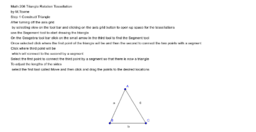
Triangle Rotation Tessellation Step 1
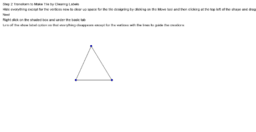
Step 2 Transform to Make Tile by Clearing Labels
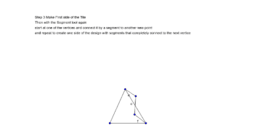
Step 3 Make First side of the Tile
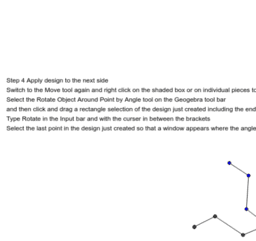
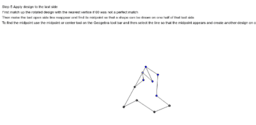
Step 4 Apply design to the next side
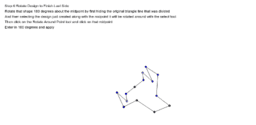
Step 5 Rotate Apply Design to last side
Step 6 Rotate Design to Finish Last Side
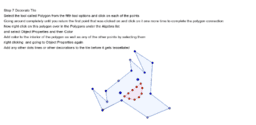
Step 7 Decorate Tile
Not Real, Practice Triangle Rotation Tessellation Math 206
Autor:
M.Towne
Tema:
Rotación
How to create a triangle rotation tessellation using Geogebra
Triangle Rotation Tessellation Step 1
Step 2 Transform to Make Tile by Clearing Labels
Step 3 Make First side of the Tile
Step 4 Apply design to the next side
Step 5 Rotate Apply Design to last side
Step 6 Rotate Design to Finish Last Side
Step 7 Decorate Tile
Siguiente
Triangle Rotation Tessellation Step 1
Nuevos recursos
Midpoint Theorem (V2): Integer Solutions
Function art 3D - waiting shed
Squaring a Rectangle (PST Version)
Odd Function Explorer
Right Triangle Inscribed in a Semicircle
Descubrir recursos
Complementary and Mutually Exclusive Events in a Venn Diagra
GloyerP3.gbb
average velocity under constant a
เรือเล็กๆๆควรออกจากฝั่ง
Averly spiral
Descubre temas
Paralelogramo
Números Complejos
Matrices
Vectores 3D (tres dimensiones)
Conjuntos